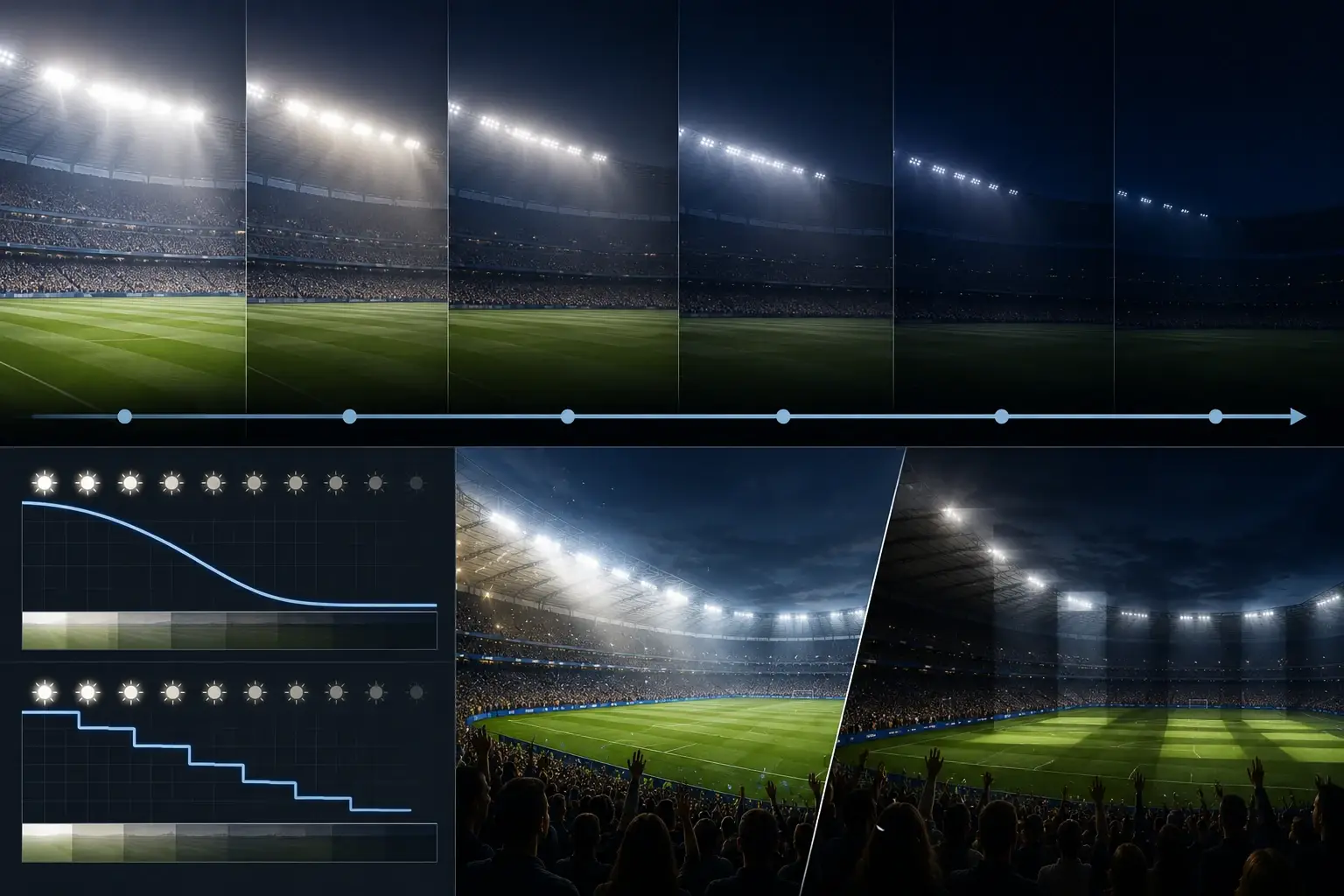
Most control complaints are not about lux—they’re about how lighting changes. Specify curve and transition behavior, then verify it with a simple commissioning record.
Answer: Avoid complaints by defining scene levels + transition times and choosing a dimming curve that matches human perception (often smoother than pure linear output).
Make it verifiable with a scene table, parameter sheet, and transition test log inside the sign-off pack.
Table of contents
1) When this applies
2) Key requirements / metrics (table)
3) Step-by-step workflow
4) Common mistakes
5) Checklist / Template download
6) FAQ
Related reads:
• Essential Stadium Lighting Controls
• Stadium Lighting Engineering & Validation
• Acceptance Criteria
When this applies
Use this guide when your project includes multiple scenes (match/training/curfew) and you want transitions to feel smooth and predictable.
Typical scenarios
- Multi-scene venues: frequent changes increase complaint risk.
- Broadcast venues: transitions must not distract cameras.
- Multi-scene controls: commissioning records are essential.
- Retrofits: controls may be upgraded separately from luminaires.
Key requirements / metrics
Use these metrics to specify and verify transitions like an engineer (not a subjective debate).
| Metric | What it affects | Why it matters | How to verify |
|---|---|---|---|
| Scene levels | Operating intent. | Defines what modes exist. | Scene table with target %. |
| Fade/transition time | Visual comfort. | Too fast = stepping complaints. | Parameter record + test log. |
| Dimming curve | Perceived smoothness. | Linear output may feel non-linear. | Curve type documented + on-site observation. |
| Minimum dim level | Stability. | Too low can expose driver limits. | Parameter sheet + scene verification. |
| Records | Repeatability | Stops “it changed later” disputes. | Sign-off pack logs. |
Definitions
Dimming curve defines how control input relates to light output. Because perception is non-linear, a perceptual/log curve often feels smoother than strictly linear output.
Typical target ranges
Targets depend on venue preference. Practical approach:
- Define scenes and acceptable transition behavior.
- Choose a curve and verify transitions in real conditions.
- Record settings in the handover pack.
Step-by-step workflow
Workflow: define tier → map constraints → test 4/6/8 pole options in calculation → choose option with best risk profile → lock aiming limits and sign-off deliverables.
Inputs to collect
- Scene definitions and operating schedule.
- Control system type and controller capabilities.
- Any broadcast/user comfort constraints.
Design decisions
- Select dimming curve type and default fade times.
- Define minimum dim limits and acceptance notes.
- Define commissioning tests and record format.
Verification & sign-off
- Scene table + parameter sheet.
- Transition test log with observations.
Common mistakes
- No documented curve or fade settings.
- Transitions tested only once (not in real use)
- Minimum dim too low causing artifacts.
- No sign-off records—settings drift later.
Checklist / Template download
These downloads are generated in-browser (TXT/CSV) and can be replaced later with gated assets.
Scene Table Template (CSV)
Define each scene level and transition time.
Download
Request full pack
Transition Test Log (CSV)
Record smoothness/stepping observations.
Download
Request full pack
Control Parameter Sheet (CSV)
Capture controller/driver settings for traceability.
Download
Request full pack
Tender Clause (TXT)
Tender-ready dimming curve and transition language.
Download
Request full pack
Request the full pack
Start your lighting solutions
Privacy: we use your details only for document delivery and technical follow-up about this request.
FAQ
Do different dimming curves affect perceived brightness?
Yes. Human perception is non-linear, so curve choice changes how ‘smooth’ transitions feel.
Will fast transitions cause complaints?
They can—especially if people notice stepping, flicker, or sudden glare changes.
How do I specify scene transitions in a tender?
Define scenes, transition times, and verification method; require commissioning tests and records.
Is linear dimming always best?
Not necessarily. Linear output doesn’t always feel linear; many venues prefer perceptual/log curves.
What should be in the sign-off record?
Scene table, transition settings, and a test log with observations and any deviations.
Ready to move from “requirements” to a passable design?
Get a calculation report + IES/LDT + tender-ready spec clauses (plus aiming table).
Get the Calculation / IES / Spec Pack
Back to ZCLED.com